
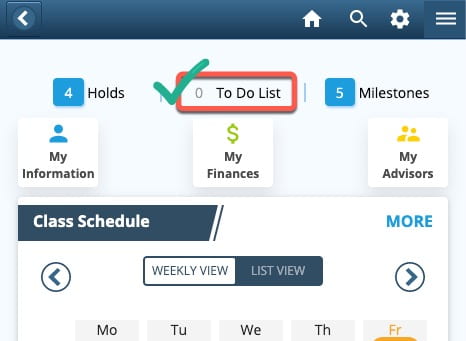
All students must complete the Pre-Registration Activity Guide (PRAG) in LionPATH each term in order to receive permission to register for the next term. In the student view of LionPATH, the need to complete the PRAG is indicated in the To Do List. If your To Do List reads as zero items, then you are permitted to register for courses.
You can learn more about the PRAG and other registration topics by reading the LionPATH Support Page for Registration. The tutorial about completing the PRAG can be downloaded (.docx file) from the Penn State Registrar’s office.
If you ever have difficulty with completing the PRAG it is best to make direct contact with the World Campus Registrar Office. One possible difficulty sometimes (rarely) happens to students who are resuming study after an absence of one or more terms, where the PRAG fails to appear in your To Do List but you are prevented from registering for courses. Although frustrating, the World Campus Registrar Office can usually fix, or work-around, this LionPATH error in short order.
